Big news — Gmail is rolling out some new features that may prevent you from receiving
emails from me including newsletters that are a part of your coaching packages.
Gmail will now be automatically filtering your email messages for you, and is categorizing
my emails to you as “Promotions”, which makes them automatically skip your inbox.
Simply put: You won’t be seeing any email from me in your inbox unless you adjust
your Gmail settings!
You may have not seen these changes in your account yet, as Google is continuing to roll
them out to all users over time — but you will soon.
Here’s how to ensure you won’t miss any updates from me:
Option #1:
If you want to stay in charge of what email gets sent to you, you can disable the new categories
by doing this:
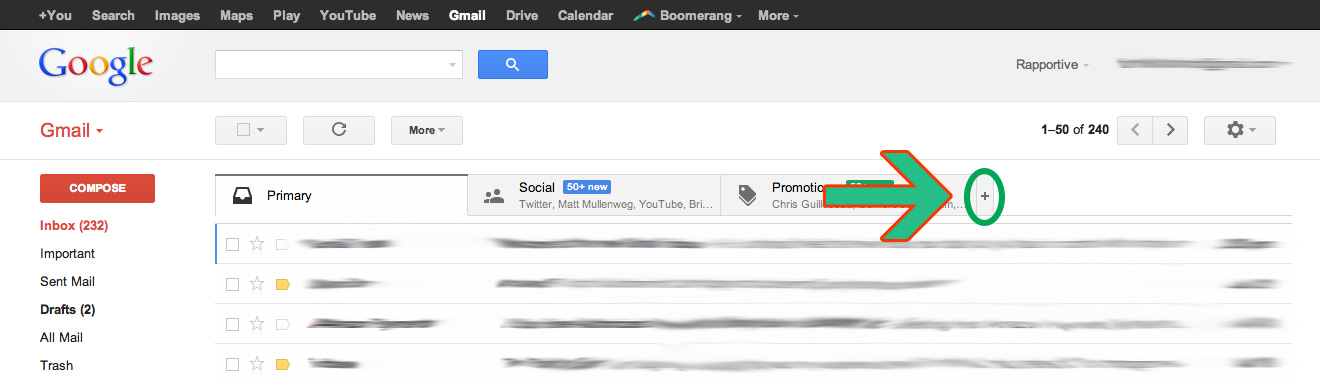
Click the little “+” at the upper right corner of your inbox next to the tabs. See the screenshot right
here: (Click to display graphics if you can’t see it!)
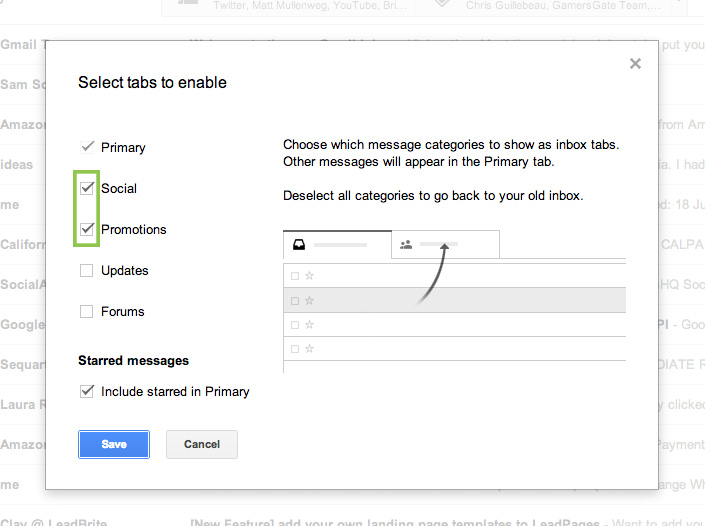
When that pops up, uncheck the “Social and Promotions” box, and don’t forget to click save!
You’ll then revert back to the traditional Gmail inbox.
Option #2
If you want to keep the tabs, but don’t want to miss out on valuable emails, do this:
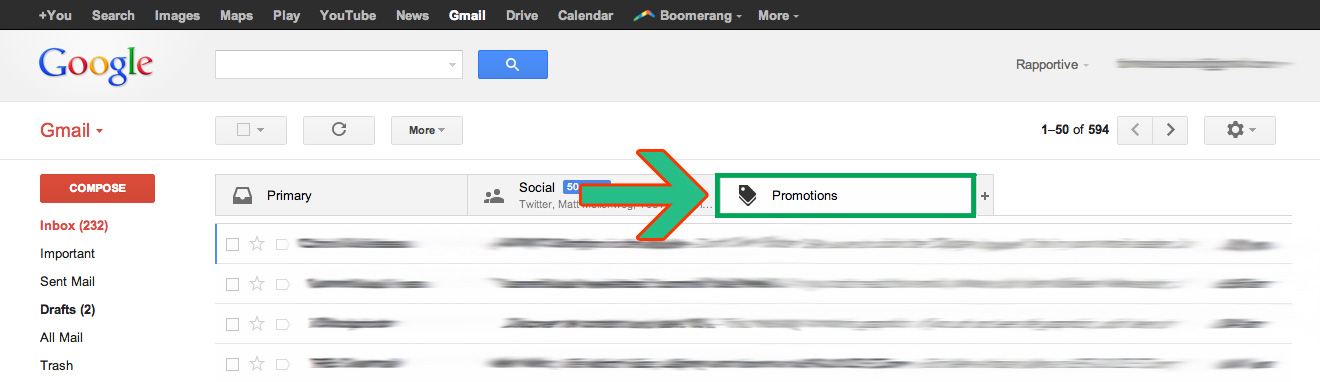
Step 1: Go to the Promotions Tab:
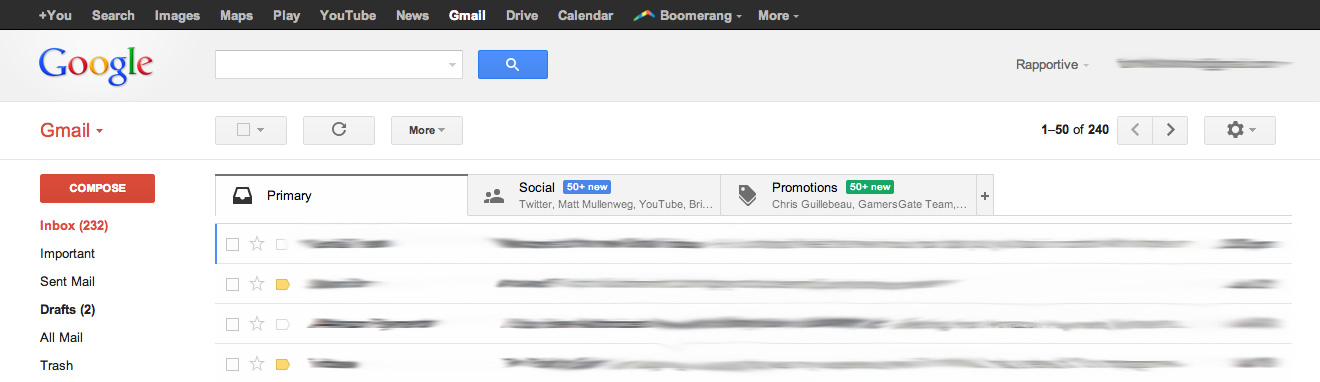
Step 2: Find an Email from “Sharon Fennimore Rudyk” in your inbox, and drag that email into
your Primary Inbox:
When you find an email from Sharon, drag and drop the email into your “Primary” inbox.
You’ll get an alert saying, “This conversation has been moved to “Primary.” Do this for future
messages from sharon@yogamatrika.com?” Then click “Yes” when the alert pops up.
Now you are all set to receive messages from Sharon Rudyk and Sharon Rudyk Yoga!
Thank you to Paid To Exist http://paidtoexist.com/from-path-taking-to-trailblazing-webinar/ because I cut and pasted this from their e-mail newsletter explaining this process.